Tools & workflow
Research folders you can navigate later
Organise research by the questions you will return to, with enough source detail to retrace the evidence.
Tools & workflow
A filename should reveal the project, the document’s role and which version it represents.
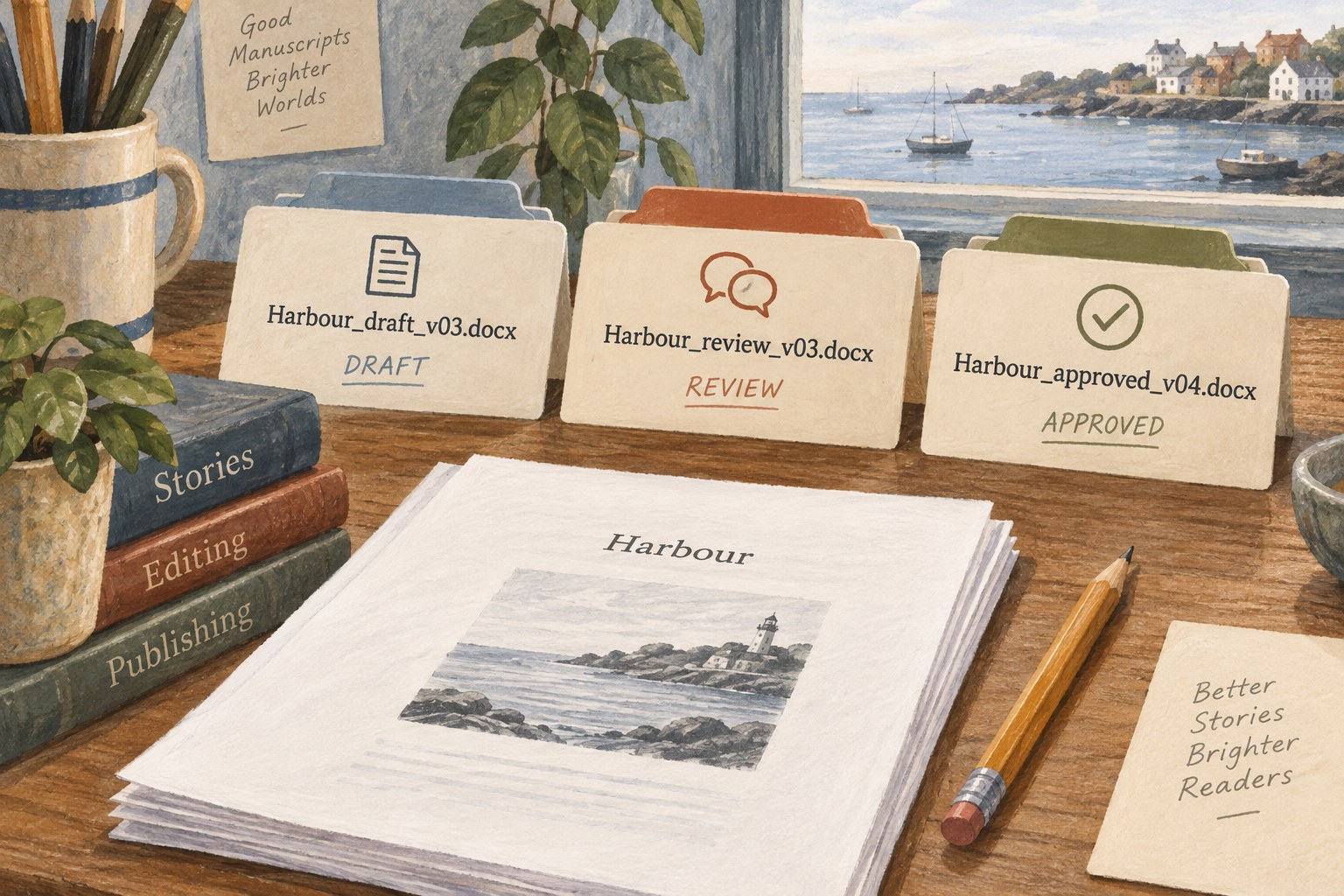
“Final-final-new” records uncertainty rather than a usable version. Choose a naming pattern that answers the questions you repeatedly ask: which project is this, what is the file for, and where does it sit in the revision sequence? Include only details that help make those distinctions.
For example, a hypothetical project could use “Harbour_draft_v03.docx” for a working manuscript and “Harbour_review_v03.docx” for the copy sent for comments. The names distinguish purpose as well as version. A file labelled “approved” should correspond to an actual approval decision, not merely the author's hope that no further changes will be needed.
If dates matter to the workflow, use a consistent year-month-day order so they sort predictably. Decide whether the date represents creation, export or delivery and use it accordingly. Mixing those meanings makes chronological names less useful.
Use version numbers for meaningful stages rather than every keystroke. Automatic history can handle frequent small changes where available; the filename can identify the copy shared with an editor or delivered for production. Keep a short note when a milestone's significance is not obvious from its name.
Avoid changing naming conventions halfway through a project without documenting the transition. A simple consistent pattern is more helpful than an elaborate pattern applied only to half the files. Check any receiving system's restrictions before using unusual punctuation or very long names.
Keep working files, received feedback and approved outputs in clearly identified locations. Do not rely entirely on filenames to compensate for an uncontrolled pile of copies. Preserve the exact file sent to a collaborator so later comments can be interpreted against the correct version.
Before a handover, open the file from its delivery folder and confirm its contents. A good name reduces mistakes but cannot prove that the expected manuscript is inside. Naming and verification work together: one helps you choose the file, and the other confirms that the choice was right.
Tools & workflow
Organise research by the questions you will return to, with enough source detail to retrace the evidence.
Tools & workflow
Protect the manuscript, its supporting files and the ability to restore a usable project.